 Look Straight
 1.5 guide
Visual Alert
Displays a visual cue and message to indicate a detected event.
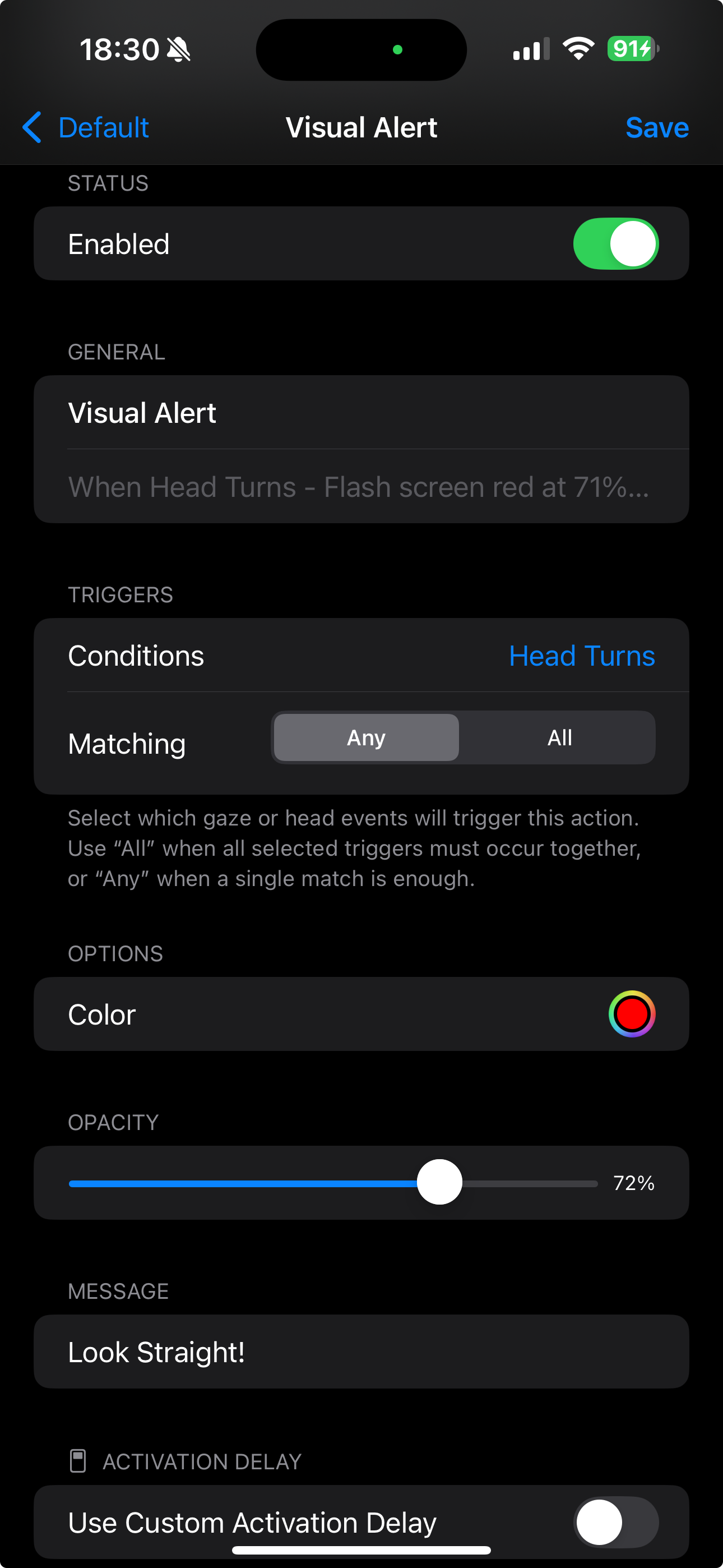
Custom Properties
| Color | The visual alert places a color overlay over the Look Straight interface when the trigger condition is satisified. Tap the color picker to choose the color used for the overlay. |
| Opacity | Set the opacity of the color overlay when the visual alert is active. |
| Message | Optionally display a message on top of the visual alert to the user. |
Use Cases
For instance, if you are using the app to help you keep focus during a presentation, create a visual alert that is triggered by head turns, head tilts, averted eyes, and side-eye. Configure the alert to display the message, "Look Straight!" to remind you to center your face and look directly at the screen.