 Look Straight
 1.5 guide
OSC Message
Sends an Open Sound Control (OSC) message to compatible devices or software over the network. This requires Look Straight Pro to work.
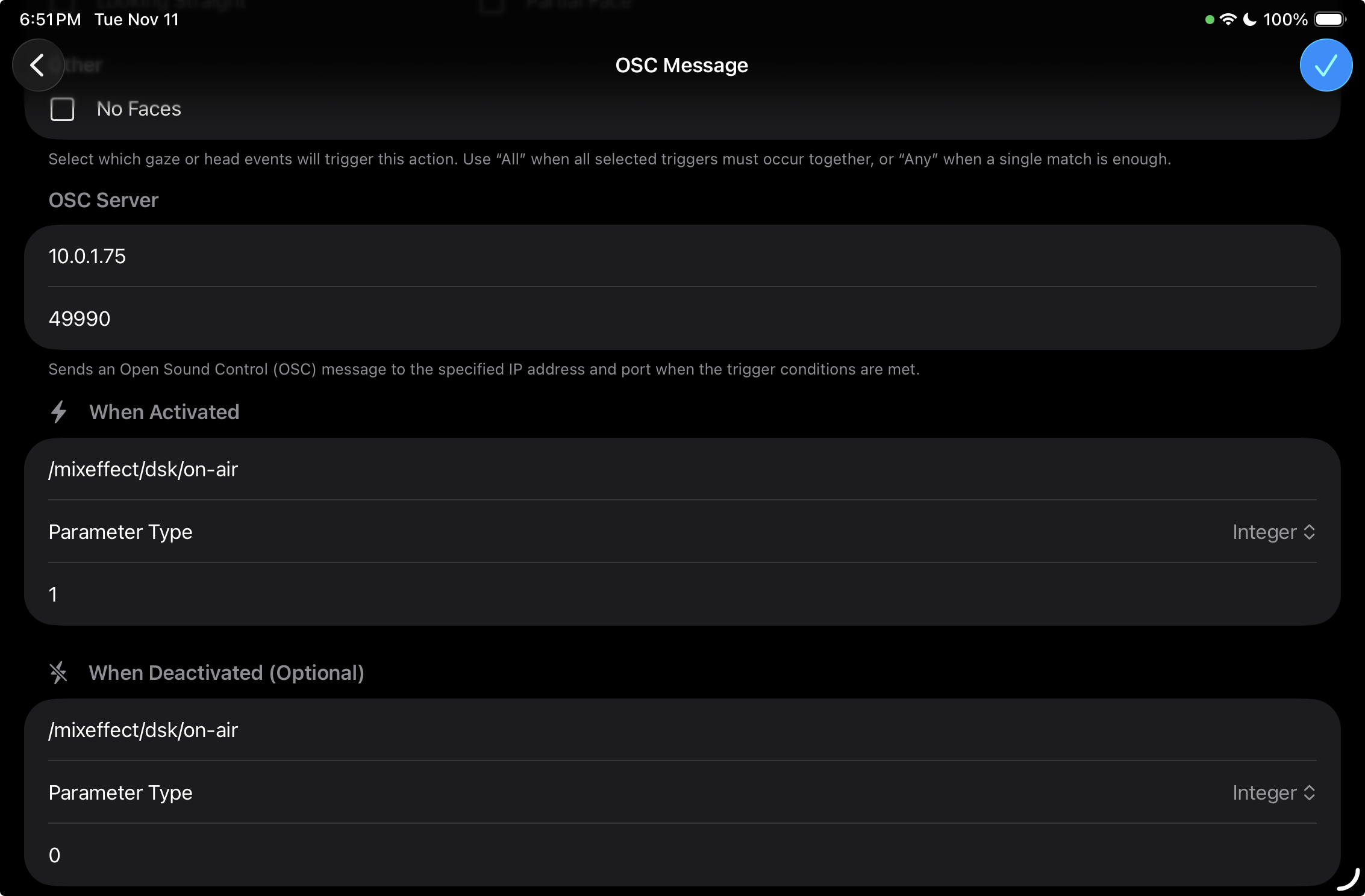
Custom Properties
| IP Address | The IP address of the OSC server that the message will be sent to. |
| OSC Port | The port number for the OSC server that is set up to receive OSC messages. |
When Activated
This OSC message will be sent when an OSC Action becomes active.
| Path | The OSC message path. |
| Parameter Type | The type of parameter to send. Specify None, Integer, String, or Multiple. |
| Parameter | The parameter to send with the message. If you select Multiple and want to send a string, enclose it in quotes. Separate multiple parameters with spaces. |
When Deactivated (Optional)
This OSC message will be sent when an active OSC Action becomes inactive.
| Path | The OSC message path. |
| Parameter Type | The type of parameter to send. Specify None, Integer, String, or Multiple. |
| Parameter | The parameter to send with the message. If you select Multiple and want to send a string, enclose it in quotes. Separate multiple parameters with spaces. |
Examples
Say you have a child who has a tendency to look at the TV screen with a turned head and side-eye when playing video games. You want him to face the TV straight on with his head and eyes.
You also have video production switcher like a Blackmagic Design ATEM switcher. Here's how you can "encourage" him to look straight.
- Connect the gaming console to the video switcher.
- Connect the video switcher to the TV.
- Use an app that can control the switcher that supports OSC like MixEffect or Bitfocus Companion.
- Create a rule with Head Turns and Side-Eye conditions. Choose All to require both. Under Do, add an OSC Message action that turns on the downstream keyer (DSK). Configure the action’s optional off message to turn it off when the rule ends.
- Add an image to the media player and configure the downstream keyer to use that image.
When both conditions match, the downstream keyer overlays the image. When the rule stops matching, the off message removes the overlay.
Add Play Sound under Do in the same rule if you also want an audible cue.